

If you opened Muse for the first time this week, welcome in, because this is genuinely the most fun I have had with a tool in my business in a long time. Muse is Meta's AI assistant, and I use it hands-on myself, personally, inside the app daily, for real work. It answers questions, and it can also go and do actual tasks for you, research, drafting, organizing the pile of half-finished things living in your notes app, chasing down the stuff you keep meaning to get to. It is not the only AI that can do tasks, other agents can run errands too, I am not going to pretend otherwise. But Muse lives inside the Meta apps, Facebook, Instagram, WhatsApp, Messenger, the ones most of us already have open all day, right where our customers already are, and for a small business owner that changes what the tool can reach and what it can do. If you are brand new and want the full tour before the voice work, I laid out what Muse is and what it can actually do in plain language.
What I noticed right away, in my own first days with it, was that out of the box it sounds like everybody. The drafts came back tidy and shiny and strangely familiar, because I had read that exact post before, somebody wrote it for a bakery, a bookkeeper, and a real estate agent in the same week. And that sameness is what people are actually reacting to when they say they can spot AI writing from a mile away. Digging into how a tool works and then going and doing the thing is kind of my natural state (I am a bit of a nerd that way), and I know not everybody pulls a new app apart looking for the personalization levers, so I am not going to assume you will. There are only a few levers, they are simple, and I am going to lay out exactly what I do so you can do the same thing.
This part is EASY. Not easy as in "once you have taken a course on it"... easy like talk-to-it-on-your-coffee-break easy. The whole starter version below takes less attention than one grocery run, and then it pays you back in every single draft Muse writes for you from that day on. A tiny bit of your attention, once, and the tool starts sounding like a person who works at your business instead of a template that works at everybody's. You can do this part today, before your coffee goes cold, I am not kidding.
Start here: six quick things to do in your first week
And if your Muse is not set up yet at all, start one step earlier: how to set up Meta Muse, ten minutes there makes everything below smoother.
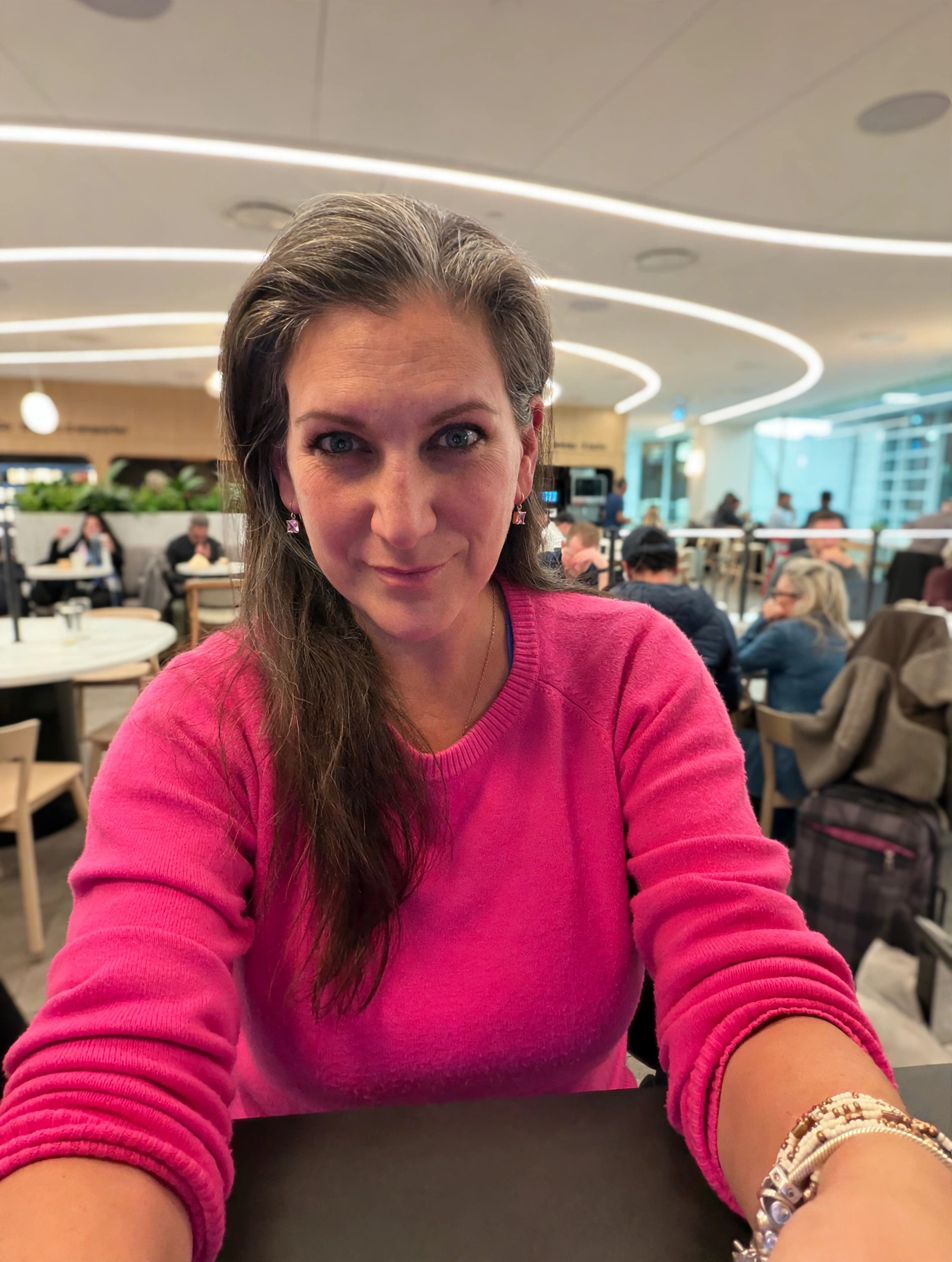
Talk to it. Do not type at it. This is the first instruction I give everybody, and it surprises people every time. Use the microphone icon and talk to Muse out loud, the way you would talk to a person standing in front of you. Your speaking voice carries your actual cadence, the words you really use, the way you stack a thought, and Muse learns your voice from how you talk far faster than from anything you type. Talking is also just faster, and it does not feel like homework, which means you will actually do it. The one exception is a public space, and I am living the exception right now, I am typing this from the Air Canada lounge at YVR because the entire lounge does not need to hear about my business. At home, in your office with the door closed, out on a walk, talk.
Introduce yourself, out loud. Before you ask Muse for a single post, tell it who you are, in plain words, like this: "I run a small bakery in a town of 9,000 people. Most of my customers are regulars. I am friendly and a little bit funny and I never sound like a sales flyer." That one little speech changes every draft that follows it, because Muse writes completely differently for a neighbourhood bakery than it does for a generic business, and it can only make that switch if you tell it which one you are.
Show it your own writing. Paste in two or three posts or emails that you wrote yourself, the ones that sound the most like you, and say "write like this." Describing your voice from scratch is hard, almost nobody can do it, but pointing at examples is easy, and Muse is very good at learning from examples you hand it directly.
Use the phone-a-friend trick. When we were setting up my own voice, the instruction that cracked it was this: talk to Muse as if you were phoning your best friend and telling her all about the conference you just got back from. My best friend is Jenn, so I phoned Jenn, in my head, through the microphone, and I told her about the conference. And it worked because I stopped talking like someone giving instructions to a computer and just talked like me, the stories, the asides, the parts I would never bother typing. If you do one thing on this list twice, do this one. It is where Muse actually hears you.
Ban your first three phrases. The first time a draft comes back with a phrase in it that makes you wince, something you would never say to a friend across your own counter, do not just delete it from that one post. Tell Muse, "never use that phrase again," and mean permanently. To make that real, here are some of mine: "honestly," "I've got you covered," "quietly," and "game-changer" are all banned in my world, and my full list is further down in this post if you want to see what one looks like in the wild. Three bans in week one is plenty. Mine started exactly this way, one wince at a time, and the list built itself from there.
Set your shape rules, here are mine to copy. Voice is not just words, it is shape, and these are the actual rules I run, steal the format and swap in your own numbers. I write in full, chunky paragraphs, not bullet walls. My headlines stay around 60 characters. If a post is running on both Instagram and Facebook, the main point goes in the first two lines, because each app folds the rest behind a tap and they do not fold in the same place. My posts end when the thought ends, there is no question tacked on the end and no call to action. And I use commas and ellipses where Muse wants to put em dashes. Two or three rules like this, given once, apply to every draft from then on, and you will feel the difference in the very next thing it writes for you.
And that is the whole starter kit, six small things, most of them done out loud, none of them technical, and your Muse already sounds more like you than the one your competitor opened this morning and left on the factory settings. The stuff below is for when you are ready to go further, and you will be, because once your own voice starts coming back at you in a draft it gets a little addictive (the good kind, the kind where you keep going because it is working).
Learn to spot the tells
The deeper skill underneath all of this is learning to see what gives untailored AI writing away, because you cannot fix what you cannot see. These are the patterns I see constantly, and the ones my own drafts get scrubbed for before anything goes out.
The formula hook. "Stop scrolling." "Hot take: your content is not the problem." Openers like that were built for ads and viral posts, and they sound like it. When a bakery, a bookkeeper, and a real estate agent all open with the same three words, readers stop hearing a person and start hearing a template, and scroll right past the very thing the hook was supposed to save.
The not-this-but-that construction. "It is not about posting more, it is about posting with purpose." AI reaches for this balanced contrast constantly because it sounds wise while saying very little, and it rarely survives asking what the sentence actually told you. People do talk in contrasts sometimes, but not in perfectly matched pairs, three posts in a row.
Staccato fragments for drama. "One decision. One post. Zero excuses." Chopped-up bits like that are borrowed from movie trailers, and in a business post they read as performed excitement rather than the real kind. Your customers know how you talk, and you do not talk in fragments, so the post instantly sounds like it came from somewhere else.
The em dash, everywhere. One long dash in a paragraph is just punctuation. One in every other sentence is a fingerprint. AI writing leans on the em dash the way a nervous speaker leans on a filler word, and readers are learning to see it, fast, sometimes before they have read a single actual idea in the post.
The rhetorical question send-off. The post lands and then it ends with, "What do you think? Are you ready to level up? Tell me in the comments." That ending is not a conversation, it is machinery for engagement numbers, and readers can feel the difference between a real question and being processed. If your in-person voice never ends a chat by demanding a response, your posts should not either.
Guru vocabulary. Delve, unlock, elevate, supercharge, "in today's fast-paced world." Nobody says these words out loud to a friend, ever, and that is exactly the test to apply. They come from launch pages and sales webinars, and they drag that energy into posts where it does not belong.
Every paragraph the same length. Four tidy paragraphs, four tidy sentences each, held together with tidy transitions. Real writing is uneven, one long rambly paragraph where you are working something out, then a short one where you land. The uniformity is the tell, sometimes even more than any single phrase on this list.
Fake-intimacy softeners. "Let me be upfront with you." "Real talk." "Between you and me, friend." These phrases perform closeness with strangers, and they backfire, because a reader who has never met you knows the intimacy is not real, and everything after it sounds less believable instead of more.
Emoji confetti and hashtag walls. An emoji as a bullet point, three more sprinkled inside the sentences, and then fifteen hashtags stacked at the bottom like a fence. That is decoration doing the work personality is supposed to do. One emoji in the right spot, where you would laugh telling the story in person, carries more of you than a whole wall of them.
Build your banned list, because yours is the one that counts
My banned list did not come from an article like this one. It came from reading drafts. Every time a draft came back carrying a phrase I would never say out loud to a friend, that phrase went on the list, permanently, that same day, and I told Muse in plain words, never again. That is the whole method, and it works because the list is built out of your actual reactions instead of somebody else's rules. You will know yours when you see them. They jump off the page in a draft in a way they never do when somebody asks you to list them from memory.
Mine started with a handful, and yours can start here if any of these make you wince: "honestly," "I've got you covered," "quietly," "game-changer," "dive in," "at the end of the day," "in today's fast-paced world," "unlock," "elevate," "wobbly," and "somewhere in the middle of." Whole sentence shapes can go on the list too, not just words. "I wish someone had told me this sooner" is banned in my world, because that is not how I talk, I go and find things out. Steal the ones that fit and ignore the rest, because a banned list full of other people's pet peeves does nothing for your voice. The phrases worth hunting tend to fall into families: softeners that fake intimacy, hype words that promise a transformation nobody can deliver, and drama words that make an ordinary Tuesday sound like a battlefield. And when you catch one in a draft, do not just delete it from that post. Put it on the list, so you only have to catch it once.
Length and shape are part of your voice
I write in chunky paragraphs, longer sentences that stack up with commas, because that is how I think on paper. Some of my favourite people online write in short single lines with breathing room between them, and that is their voice, and both are fine. What is not fine is leaving the choice to Muse, because left alone it picks the average, medium paragraphs, medium sentences, medium everything, and average is exactly what you are trying to get away from.
So give Muse the numbers and the habits, out loud, the way I did in the quick list up top. Tell it your punctuation habits, whether you use exclamation marks constantly and want them kept, or barely use them at all. Tell it your formatting rules, because bullet points belong in instructions and checklists, while in a story post they chop your thoughts into a slide deck. And keep handing it lines like these, word for word, adjusted to your own habits:
- "Write in full paragraphs, not bullet points, unless I ask for a list."
- "Keep my headlines under about 60 characters."
- "My posts run 150 to 250 words, and the main point goes in the first two lines."
- "Do not end my posts with a question."
What the difference actually looks like
Here is a small example, a fictional bakery announcing its Saturday bread, the kind of ordinary post I see every single day.
Before, Muse with no guidance at all:
"Stop scrolling, bread lovers! In today's fast-paced world, real bread is not just food, it is an experience. Our artisan sourdough is handcrafted with love and baked fresh every single morning, because you deserve bread that elevates your weekend. Are you ready to taste the difference? Drop a comment and tag your brunch bestie! #SourdoughSaturday #BreadLovers #SupportLocal #BakedWithLove #FoodieFinds"
After, the same bakery, with a voice guide applied:
"Saturday sourdough hits the counter at 9, same as always. We baked double this week, because last Saturday we sold out by 10:30 and I hated turning people away at the door. If you want a loaf held, call the shop before we close on Friday and we will write your name on one. That is it, that is the whole announcement. See you Saturday."
Nothing fancy happened between those two versions. The second one is not better written, it is just full of specifics only the owner would know, the 10:30 sellout, the name written on a loaf, and it ends when the information ends instead of performing enthusiasm for an audience. And the specifics are the part you already know better than anybody, which is why this part is doable, you are not learning new information here, you are just letting yours in.
The interview: let Muse ask you the questions
When you are ready to build the full version, do not sit down in front of a blank page and try to describe how you talk. I could not have written my own voice guide from scratch, and I do this for a living. Describing your own voice is a strange thing to be asked to do, and a blank page is where good intentions go to stall. Answering questions is much easier, so let Muse run a short interview instead, and talk your answers out loud through the microphone, same as everything else in this post.
The banned phrases are where almost everybody stalls, so the prompt below is built to handle that part for you. Almost nobody can list their banned phrases cold, I could not either, they are invisible to us until a draft puts one in front of us and we wince. So the prompt does not ask you to invent the list. It tells Muse to lead, to read you the usual suspects a few at a time and let you react, wince or wave it through, and build the list out of your reactions. Reacting is easy, it is inventing from a blank page that was always the hard part, and that part is just gone now.
Paste the prompt below into a conversation with your Muse and answer the way you would talk to a friend, in pieces if that is what fits your day.
Hi Muse. I want you to help me build a voice guide, so that when you write for me, you sound like me and not like generic AI writing.

Please interview me, one question at a time, and wait for my answer before you ask the next one. I will answer most of these out loud using the microphone.

Ask me about:
- how I actually talk and write day to day
- words and phrases I use all the time
- my punctuation and formatting habits, like whether I write in long paragraphs or short lines, and whether I like bullet points
- how long my posts usually run
- who my audience is, and how I talk to them
- topics I will not touch, and lines I will not cross in my business

For the words and phrases I would never say, do NOT ask me to come up with them from memory, I will go blank. Instead, lead me. Read me common AI-sounding phrases a few at a time, starting with ones like these: "honestly," "I've got you covered," "delve," "unlock," "elevate," "supercharge," "game-changer," "level up," "dive in," "at the end of the day," "in today's fast-paced world," "real talk," and "let's be real." For each one, ask me: would you ever say this out loud to a friend? Keep every phrase I wince at on my banned list, drop the ones I am fine with, and keep offering me more candidates until I tell you we have enough.

Partway through, ask me to paste two or three posts or emails that I wrote myself, and treat those as your main reference for how I sound.

When the interview is done, put everything together into a document called My Voice Guide, written as instructions you can follow, with sections for my banned words, my favourite phrases, my formatting rules, and my length rules. If anything in the guide is a guess on your part, mark it as a guess so I can fix it.

Then, to prove it works, I will give you one plain paragraph, and I want you to rewrite it using my voice guide and show me the before and after side by side.
When it is done, save that guide somewhere you can find it again, and then use it. Attach it or paste it at the start of any writing task, the way you would hand a new hire a one-page sheet on how things get said around here. The first version will not be perfect, and it does not need to be, because the next part is where it really takes shape.
The red pen loop, where personalization actually happens
Everything above gets you a strong starting guide. What turns it into your voice over time is a loop, and the loop is simple. When a draft comes back, read it out loud if you can, because your ear catches things your eye skims straight past. Then correct it specifically. "Never use this phrase, use this one instead" is a rule your Muse can keep. "This feels off" is a mood, and moods cannot be saved. Every correction you make, ask for it to be added to your voice guide as a standing rule.
Every so often, ask Muse to show you the whole rule list, your banned words and your shape and length rules. Watching that list grow is weirdly satisfying, and rereading it shows you the rules that were really about one bad Tuesday rather than about your actual voice, and those can come off the list. Then retest on one real post at a time, not on a complete overhaul of everything you publish, because one post tells you quickly whether the guide is doing its job.
The way I run this, I stay the director and Muse does the production work, and my corrections are the control points where the quality gets decided. I do not think of editing a draft as fixing something that went wrong. It is the part of the process that belongs to me, the part that cannot be handed over, and after a few weeks of it the drafts come back needing less and less from the red pen, not because the tool changed, but because the instructions finally sound like the person giving them.
My own voice guide started as a short list of phrases that made me wince, and it is still just a document I add a line to whenever a draft teaches me something new about how I sound. It is not finished, and I have stopped expecting it to be, because the way I talk keeps changing too, and the guide is allowed to keep up with me. The tool itself keeps changing too, so I keep a running ledger of the Muse updates as they land, so you can see what has actually shifted and what it means for your business. Start with the quick things at the top, enjoy how fast it starts sounding like you, and let the rest build from there, one wince, one rule, one draft at a time. It is a small amount of attention, spent once and then in tiny top-ups, and it keeps paying for itself, I notice it every time a draft comes back needing less from me than the one before.
Questions I get about this
I opened Muse today. Do I have to do all of this before it is useful to me?
No, and please do not try. Do the quick things at the top of this post, talk to it, introduce yourself, show it two posts you wrote, and then start using it for real work right away. The voice guide builds while you work, not before you are allowed to start. The people getting the most out of Muse are not the ones who set it up perfectly, they are the ones who started and corrected as they went.
Do I have to rebuild my voice guide in every new conversation?
Keep your guide saved as one document, and paste it or attach it when you start a writing task, so it is right in front of Muse for that job. When the guide changes, update the saved copy. That is the whole system, one document that you keep current, and handing it over takes seconds.
I do not have any posts of my own to show it. Where do I start?
Use the phone-a-friend trick. Talk out loud, through the microphone, about your business or a job you just finished or a trip you just took, as if you were telling your best friend about it on the phone. That natural way of talking is better raw material than old posts you were never proud of anyway, and Muse can build from it directly.
How long should my voice guide be?
Shorter than you think. Mine started as a handful of banned phrases, and it grew a line at a time from there. A page you actually keep current beats ten pages you built once and never opened again.
What if it still sounds like AI after all of this?
Then you are at the normal part, not the broken part. Read the draft out loud, catch the one phrase that makes you wince, ban it, correct one sentence specifically, and go again. Every round, the drafts come back closer. Mine still get the red pen, they just need a whole lot less of it than they did in the beginning.
Does this only work for social media posts?
No. Emails, captions, product descriptions, your about page, a reply to a customer review, anything where sounding like yourself is the whole point. The guide travels with the task, whatever the task is. My favourite example of that is on the ads side, creating Facebook and Instagram ads with Muse, where sounding like me instead of a template matters just as much.
Do I need different rules for different kinds of posts?
Yes, and mine are not all the same, so do not feel like one guide has to cover your whole writing life in one set of rules. The way I write a personal post about a trip is different from the way I write a teaching post like this one, and both of those are different from how I share a piece of news with my audience, and my guide knows the difference because I taught it the difference, one correction at a time. What you have built from this post is the starting layer, your banned phrases, your shapes, your lengths, the things that tailor your Muse out of the box to YOU instead of to everybody. The rules for each kind of post come later, as you notice them, the same way the rest of this built. Start where this post leaves you, because that start is a real one, and let the fine-tuning happen while you work.
 Facebook
 LinkedIn